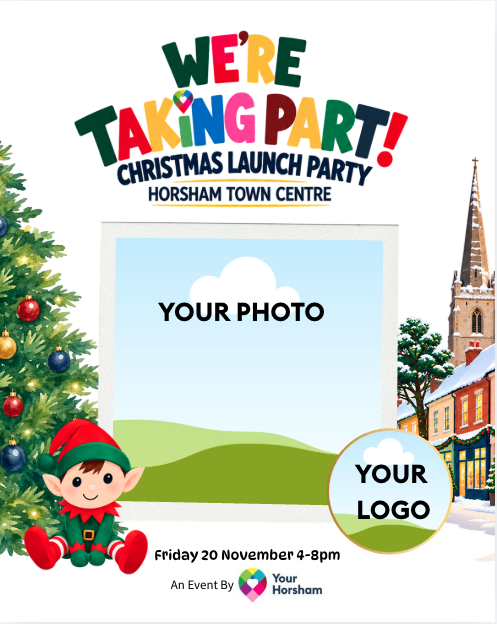
We’ve created a simple Canva template you can personalise with your own photo and logo. It gives you a ready-made graphic to share with your customers and can also be featured across Your Horsham’s social media, helping people discover the businesses taking part and plan where to visit on the night.
How to create yours:
- Open the Canva template using the QR code/ link provided: https://canva.link/dlxdubmlwpd8bib
- Upload a photo of your business, team, products or venue to Canva and then add it to the large square image space.
- Upload your business logo to Canva and then add it to the circular space.
- Check that everything is positioned correctly and clearly visible – you may need to click your images and move them slightly in the frames.
- Download your finished graphic as a JPG.
- Share it on your own social media channels to tell your customers you’re taking part – add @yourhorsham on Instagram as a collaborator if you would like to add us for extra exposure.
- Send your finished JPG to Your Horsham by 6 November if you’d also like us to include it in our Christmas Launch Party social media content.
You can share it on your own socials, send it to us for including on ours, or do both. The more businesses talking about the event, the more we can build excitement and encourage people to come into Horsham town centre for the Christmas Launch Party.
Please don’t change the template wording, colours, graphics or layout. Simply add your photo and logo.